


LeapX - Collaboration WebApp
A next-generation cloud-based B2B internal tool for transparent and collaborative Car Infotainment UI Development.
Role
UX Designer & Developer
Timeline
2 months
Client

ABOUT THE CLIENT
BOSCH, a German automotive B2B company developing and designing solutions for all the automotive manufacturers around the world. The best introduction in itself - as BOSCH says,
"There is no vehicle in the world which is built without BOSCH."

Describe your image

Describe your image

Describe your image
Describe your image
THE PROBLEM
At BOSCH, developing UI for car display units wasn't the hard part, aligning teams around those designs was. Developers were working on old specifications, designers were making changes in the blind side, and stakeholders were left asking, “Wait, where are we on this?”
The existing process was handoffs messy, documentation scattered, and miscommunication bloated timelines. The teams needed one truth, one space, and one flow.
BUSINESS PAIN POINTS

Time & Effort Consumption
-
Engineers need to update requirements manually.
-
Designers need to manually write hand-off documents

Miscommunication
-
Requirement Engineers go back & forth with managers and designers.
-
Developers keep working on old designs due delayed clarifications.

Lack of Transparency
-
Stakeholders have no idea on actual progress of the project.
-
Managers have no clarity of where the blocker is.

Rework
-
Requirement engineers have to rewrite the requirement doc. on minor updates.
-
Developers have to rework on a feature due to delayed information.
THE MISSION
Create a centralized collaboration tool where engineers, designers, and developers could collaborate in real-time, automate repeatitive documentation and where stakeholders actually see progress before the final demo.

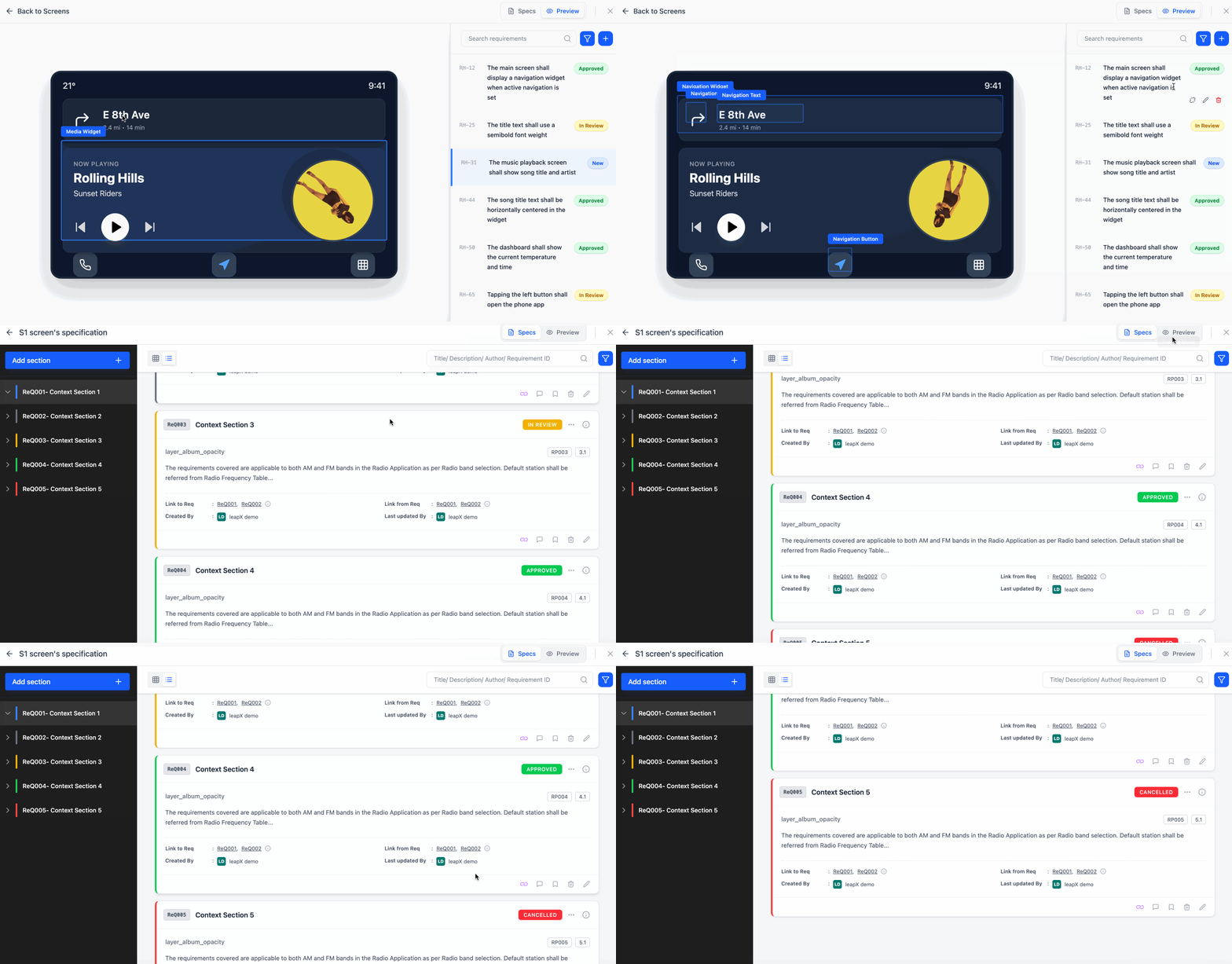
Proposed solution UI - A Dashboard with HMI Screen on left and screen specific requirements on right with their current status.
APPROACH
Rather than designing in a vacuum, I grounded everything in Jobs-To-Be-Done (JTBD) and sprint-based Lean UX.
JTBD + Lean UX in Action
Why do users need the Tool? - JTBD Highlights

Requirement Engineer
"I want to write element-specific requirements avoid repeated clarification."

UX/UI Designer
"I want to hand off designs without manually explaining every pixel shift."

Developer
“I want latest specs + designs in one view—not rework on the same elements.”

Manager & Stakeholder
“I want live project and team status and clear ownership”
Web App Workflow - Ideation
The idea was to combine 3 separate workflows (UX Designer, Requirement Engineer, Developer) and tools into a single workflow, facilitating transparency, collaboration and efficiency within the UI Development teams.
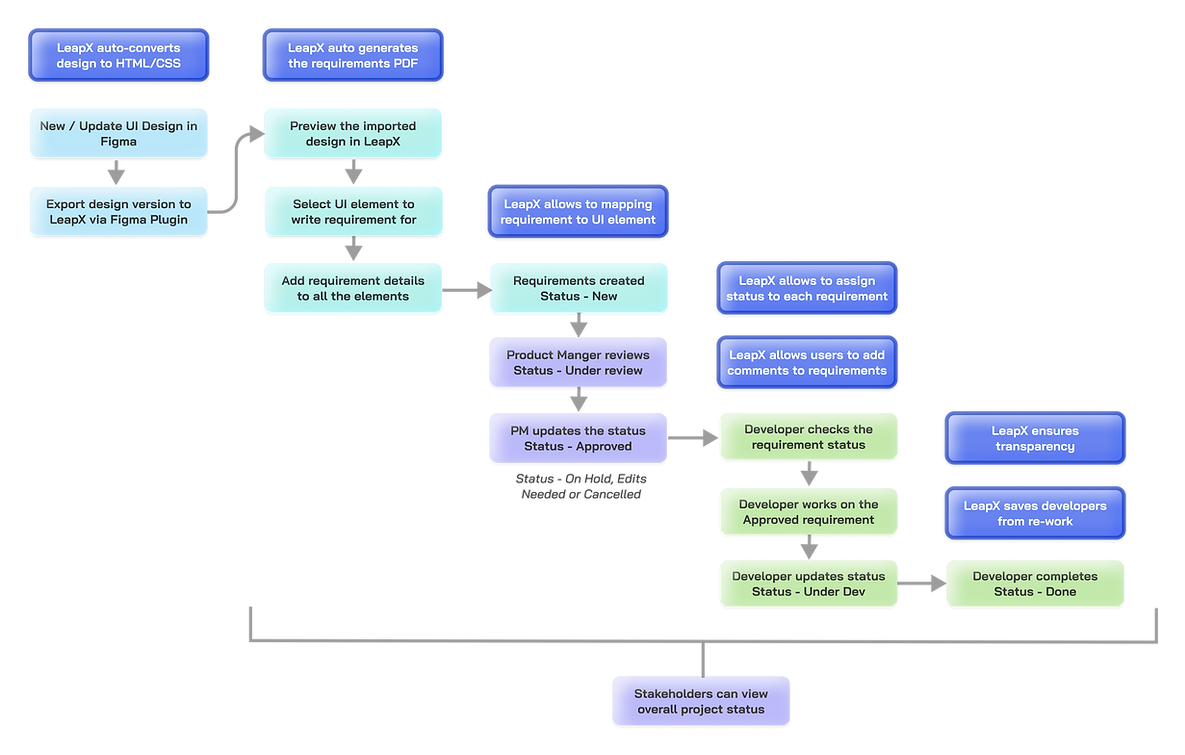
Proposed workflow of LeapX ensuring collaboration and transparency in the team


Initial Prototype - MVP
Due to time constraints, started working on the main components to make the client understand the workflow and identify their pain points with the main features early in the development cycle.
Add Requirement Workflow

What worked?
✓ "Add requirement" user flow for each screen
✓ "Search Requirements" option
✓ "Status Assignment" to each requirement
✓ Screen selection to sort requirements.
What didn't work?
✘ Requirement form fields and descritpion size.
✘ Edit/Delete requirement - no option.
✘ Search filters missing.
✘ Visual appeal and cues - status color, screens.
✘ Requirements list view.
Split-view Dashboard - left side shows visual and right side technical requirement

What worked?
✓ Layout: left- screen, right- requirements list
✓ Requirement status visible alongside.
✓ "Search" with filter.
What didn't work?
✘ No way to add requirments from screen view.
✘ Edit/Delete requirement - no option.
✘ Title of requirement missing.
✘ Switch views - overall & screen requirements.
DESIGN PHASE
Designed the atoms of the overall system, the micro-interactions and different states of the UI elements to reuse across the web-app.
Design System - UI Kit
Buttons

Primary
Secondary
Icon type
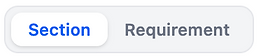
Switch
Color-coded Status


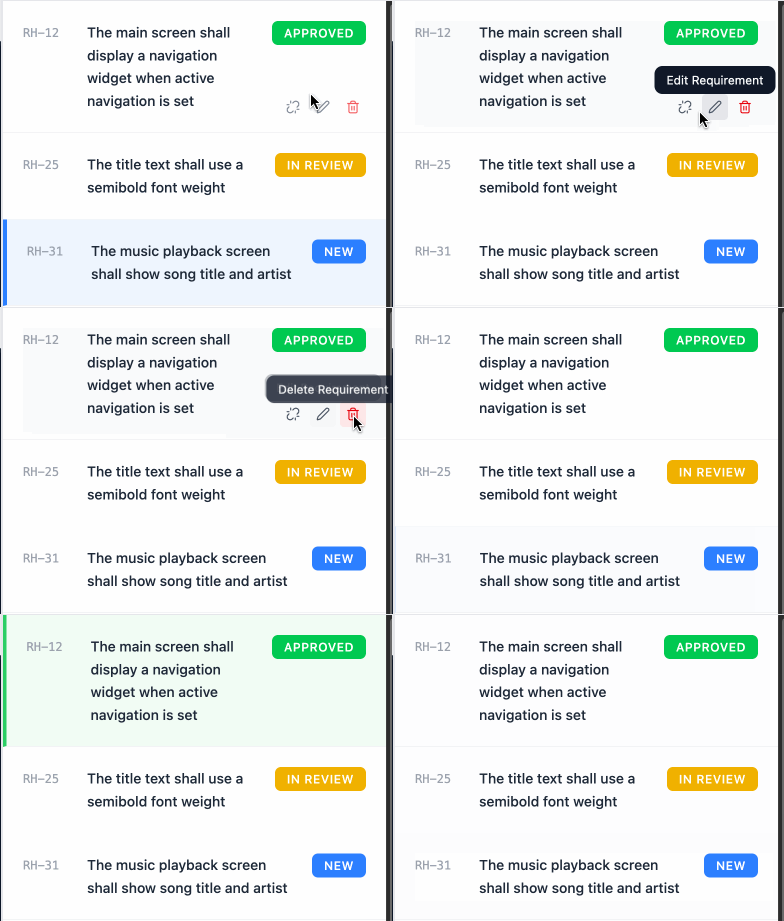
Each requirement have these states - that are designed keeping color association & mental model in check.

Status color bar added in needed UI elements to help users identify the current status at glance.

Requirement card

Requirement Version
Requirement Status, Drop-down to change status
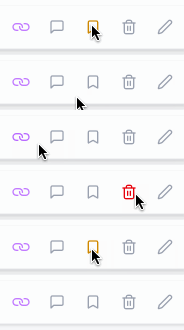
Link to UI Element, Comments, Activity log, Delete, Edit
2-way UI mapping
When a user hovers on a requirement - UI element linked with it is highlighted as follows.

When a user hovers on the UI Element - it highlights the requirement linked to it.
Add Requirement Form
This form is designed to help users write anf format requirements as per their need, allowing them to edit font styles, attach files and link requirement by ID.

Form is given a full-page width with description taking 75% of the of the screen, helping requirement engineers to edit requirement description, tables and images clearly and visibily.
UI Brought Together - High-Fidelity Designs
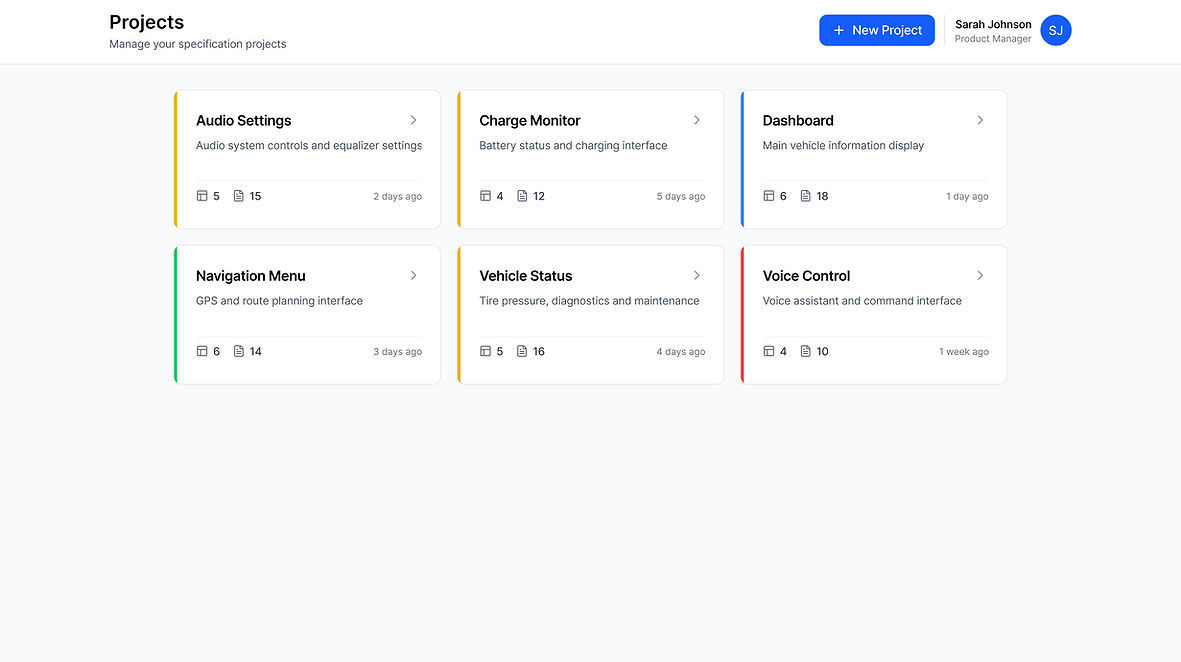
Once the user logs in to LeapX - All the projects the user is a part of are displayed along with project status indicated by the color, an option to add new project and the user's profile.
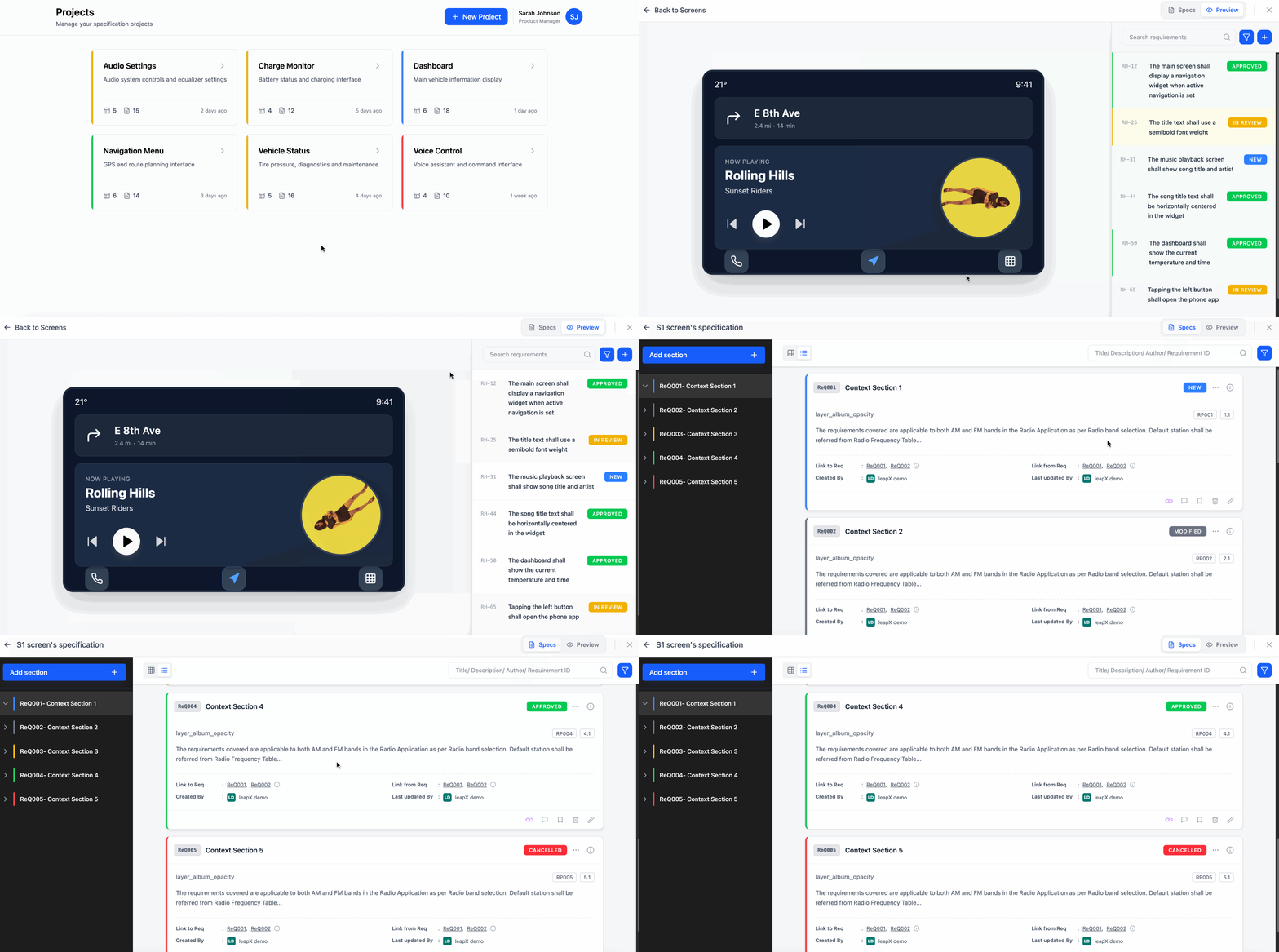
Visual Workflow - Interaction Design
An easy switch between the screen preview (Preview) and the requirements listed (Specs) in the heirarchical format, showing detailed card view of requirements. It gives an option to add sub-requirements to any existing requirements along with the new requirements, following a sortable tree structure.
WHAT DID WE ACHIEVE? - RESULTS
40% ↓
in design-to-dev handoff issues
2 Sprints
saved per release through clearer communication
Automated
Technical Requirement Document Generation
Cross-functional Support calls
↓ from 10 to 2